
Fracture authoring, impacts, and debris.
Destruction
Destruction lets authored objects split into physical groups when bonds fail. This page covers the component recipe, spatial impacts and part damage, state queries, checkpoints, and debris cleanup.
What destruction is
An ordinary scene or prefab can carry a compact fracture recipe. Cooking prepares its geometry; at runtime, accepted impacts and part damage queue changes to the physical assembly. Gameplay chooses when to issue those calls and checks state for the committed result.
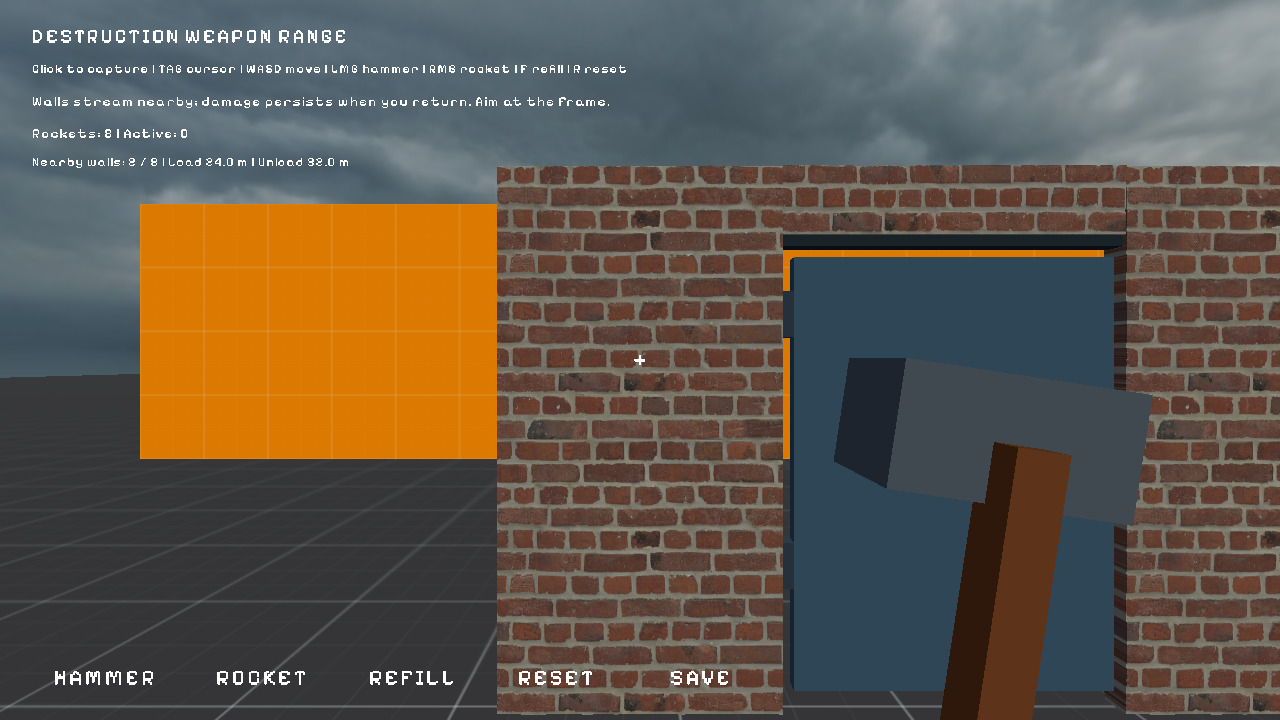
Authoring workflow
Author the intact visual and fracture recipe in one scene or prefab:
- Assembly root — an unparented entity with
Transform3DandDestructible3D; an optionalRigidbody3Dsupplies body settings. - Participating visuals — child meshes with
Fracture3D, or compactMasonry3Dregions for repeated brickwork. The compiler prepares collider geometry and part mappings; do not add a second root collider or independent physics to those children. - Optional effects —
FractureDebris3Don the root emits cosmetic chips on accepted spatial impacts.debris_lifetimeon a fracture or masonry source controls fading of actual detached rubble.
Fracture3D
Fracture3D sits on a participating mesh and describes its generated pieces and bonds.
{
  "Fracture3D": {
    "pieces": 12,
    "bond_health": 1.0,
    "anchor_below": 0.01
  }
}piecesis the number of generated pieces; one piece can detach whole without further subdivision.bond_healthis authored connection strength. Spatial impact energy is converted to these units through the root'senergy_per_health.anchor_belowattaches low parts to the foundation using an assembly-local Y threshold. Omit it when the object should start free.
Masonry3D
Masonry3D describes repeated brickwork: walls, stacks, and tiled panels that should crumble brick by brick.
{
  "Masonry3D": {
    "rows": 6,
    "columns": 4,
    "size": [4, 3, 0.4],
    "density": 1800
  }
}rowsandcolumnsdefine the compact brick grid oversize.densityis mass density in kg/m³; it does not set bond health. Usebond_healthfor fracture resistance.- Use masonry for repeated walls; use
Fracture3Dfor authored meshes.
Destructible3D
Destructible3D marks the assembly root. It has no integrity field; connectivity comes from generated parts and their bonds.
{
  "Destructible3D": {
    "energy_per_health": 1000,
    "max_bodies": 64
  }
}energy_per_healthconverts spatial impact joules to authored bond-health units; it does not changedamage_partunits.max_bodiesbounds the physical body count for the assembly.- Fracture and masonry sources supply the geometry. Foundation anchors determine whether a generated assembly starts static or dynamic.
FractureDebris3D
FractureDebris3D emits optional cosmetic chips at accepted spatial impact contacts. These chips are separate from detached physical rubble.
{
  "FractureDebris3D": {
    "count": 16,
    "lifetime": 3.0,
    "fade_duration": 1.0
  }
}countchips are emitted per accepted spatial impact, subject tomax_fragments.lifetimeandfade_durationcontrol chip removal. Chips have no entities, colliders, or physics bodies.
Applying damage at runtime
Gameplay chooses when to issue a spatial impact or damage a known collider part. Both calls queue work for the next fixed step; acceptance is not completion.
local Destruction = require("demi.physics.destruction3d")

local accepted, issue, affected = Destruction.impact({
    entity = "cargo_wall",             -- optional root/current-fragment filter
    position = { 0, 1, 0 },            -- required world-space point
    radius = 0.3,                      -- metres; default 0.5
    energy = 6000,                     -- joules shared across affected bonds
    impulse = 180,                     -- optional momentum budget in N*s
    direction = { 0, 0, 1 },           -- optional; omit for radial impulse
})
if not accepted then print(issue) end

local damaged, damage_issue = Destruction.damage_part("cargo_wall", "joint_l", 0.6)
if not damaged then print(damage_issue) end| Call | Arguments | Returns |
|---|---|---|
impact(options) | Table with required position and at least one positive energy or impulse; optional radius, direction, entity | accepted, error, affected_assemblies. It selects nearby collider parts and shares the supplied budgets. |
damage_part(id, part_id, damage) | Root or current fragment ID, stable collider part ID, positive bond-health damage | accepted, error. Queues damage to incident bonds and the part's foundation attachment. |
state(id) | Root or current fragment ID | A status table including revision and current part owners; see below. |
direction is normalized internally; an omitted or zero direction makes impulses radial. Omit entity to affect all nearby attached destructible assemblies. Physical attachment requires the first physics step. Spatial hits do not automatically follow from ordinary collisions; gameplay must call impact.
A physics contact event can supply a point, normal, and measured impact energy. This script belongs on the wall and subscribes when it starts:
local Events = require("demi.events")
local Destruction = require("demi.physics.destruction3d")
local Wall = {}

function Wall:on_start()
    self.contact_token = Events.subscribe("physics3d_contact", function(e)
        if e.entity_id ~= self.entity_id or e.is_trigger or e.impact_energy <= 0 then
            return
        end
        local accepted, issue = Destruction.impact({
            entity = self.entity_id,
            position = { e.point_x, e.point_y, e.point_z },
            direction = { e.normal_x, e.normal_y, e.normal_z },
            energy = e.impact_energy,
            radius = 0.3,
        })
        if not accepted then print(issue) end
    end)
end

function Wall:on_destroy()
    Events.unsubscribe(self.contact_token)
end

return Wall
The contact event exposes entity_id, other_entity_id, flattened point and normal coordinates, and impact_energy. The example filters to this wall and skips zero-energy contacts. energy_per_health on the assembly converts impact joules into bond damage; an accepted call can still leave a structure intact.
Targeting one joint when a boss exposes a weak point:
local Destruction = require("demi.physics.destruction3d")

local accepted, issue = Destruction.damage_part(id, "joint_l", 0.6)
if not accepted then print(issue) endidis the assembly root or one of its current fragment entities."joint_l"is a stable collider part ID, not a generated array index.0.6is positive damage in authored bond-health units. Checkstateafter the fixed step for the committed result.
Reading state
local Destruction = require("demi.physics.destruction3d")
local state = Destruction.state("cargo_wall")
-- state.root, state.status, state.error, state.revision, state.bodies
-- state.parts[part_id] is the part's current physical entity ID| Field | Meaning |
|---|---|
root | Owning assembly root ID. An empty value with unattached means no attached assembly was found. |
status | unattached, ready, queued, applied, or failed. |
error | Failure detail when a queued transaction fails. |
revision | Advances after successful committed batches; compare it with the value before queuing damage. |
bodies | Current number of physical bodies in the assembly. |
parts | Map from stable collider part IDs to their current physical entity IDs. |
state returns a table, including for an unattached ID. Check status and error, then use revision, bodies, or parts for gameplay. It does not expose a single integrity meter, a broken flag, or a fragment-ID array. Resolve a part's current physical owner through parts rather than constructing generated IDs.
Checkpoint and restore
checkpoint returns a versioned, geometry-free snapshot of committed damage and fragment poses. Save it if the game needs later recovery. restore validates that snapshot against a fresh attached assembly with matching geometry and part identities, then queues restoration. It does not rewind the already damaged live assembly in place.
local Destruction = require("demi.physics.destruction3d")

local snapshot, issue = Destruction.checkpoint("cargo_wall")
if not snapshot then error(issue) end
-- Persist snapshot through demi.save if it must survive a restart.

-- Later, after loading a fresh matching cargo_wall assembly:
local accepted, restore_issue = Destruction.restore("cargo_wall", snapshot)
if not accepted then error(restore_issue) end
-- Poll Destruction.state("cargo_wall") after the fixed step.| Call | Arguments | Returns |
|---|---|---|
checkpoint(id) | Assembly root or current fragment ID | Snapshot table and error string, or nil, error while commands are queued or the assembly is unavailable. |
restore(id, snapshot) | Fresh attached assembly and a prior checkpoint table | accepted, error. Poll state for completion or failure. |
Only committed damage can be captured. A matching fresh assembly must finish its first physics attachment before restoration, and incompatible geometry or part IDs are rejected. A retry that simply needs the authored pristine scene can reload that scene; a checkpoint is for restoring a specific prior damage state.
Debris cleanup
Cosmetic chips from FractureDebris3D expire after their authored lifetime. Separately, retire_debris queues opt-in cleanup of detached dynamic physical groups while preserving supported geometry.
local Destruction = require("demi.physics.destruction3d")

local accepted, issue = Destruction.retire_debris("cargo_wall")
if not accepted then print(issue) endididentifies the owning assembly.- The call returns
accepted, error; the fixed step performs the retirement. - Retired detached groups are recorded as missing in checkpoints. Use this deliberately if those physical pieces matter to gameplay.
For fading actual detached rubble without a Lua cleanup call, set positive debris_lifetime and debris_fade on its Fracture3D or Masonry3D source. Those chunks become non-colliding while fading; connected supported chunks stay physical.
Putting it together
- Author a normal scene or prefab with
Destructible3Dat the assembly root andFracture3Dmeshes orMasonry3Dregions beneath it. - Call
impact(options)with world-space position and positive energy or impulse, ordamage_partwith a stable collider part ID. - Read
state.status,revision,bodies, andpartsto observe committed changes. - Capture a checkpoint after queued work commits; restore it only onto a fresh matching assembly.
- Use source
debris_lifetimefor fading detached rubble;FractureDebris3Dsupplies separate cosmetic chips.
Cosmetic dents belong to mesh deformation, while physical pieces use ordinary 3D body behavior described in Rigidbodies.