
In this guide
Build the engine, create a project, and run your first scene with hot reload.
Getting started
DemiEngine is a Linux-first C++20 engine for deterministic, text-authored games. Projects are versioned JSON, gameplay is Lua 5.4, and the demi CLI is the primary authoring, validation, testing, and packaging tool.
1. Build the engine
Configure and build the debug preset from the repository root:
cmake --preset linux-debug
cmake --build --preset linux-debug
That produces the demi CLI. Confirm it is alive:
demi --help2. Create a project
List the checked-in starter templates, then generate a project. demi new never overwrites a destination: it writes into a temporary sibling, validates the complete project, and only then renames the directory into place.
demi new --list
demi new games/my_game --template platformer --name "My Game"
The templates are:
blank-2d— Blank 2Disometric— Isometric 2Dlightweight-3d— Lightweight 3Dnetworked— Networked Gameplatformer— 2D Platformertop-down— Top-Down 2Dvisual-novel— Visual Novel
Add --dry-run to inspect the file list without writing anything.
A generated project contains source JSON, a Lua entry script, a deterministic smoke replay, and project-local LuaLS stubs for editor autocomplete.
3. Check your environment
demi doctor
demi doctor --platform android --format json
Doctor diagnostics use stable codes and the same text or JSON diagnostic format as validation. Android checks include Java, SDK, and NDK discovery.
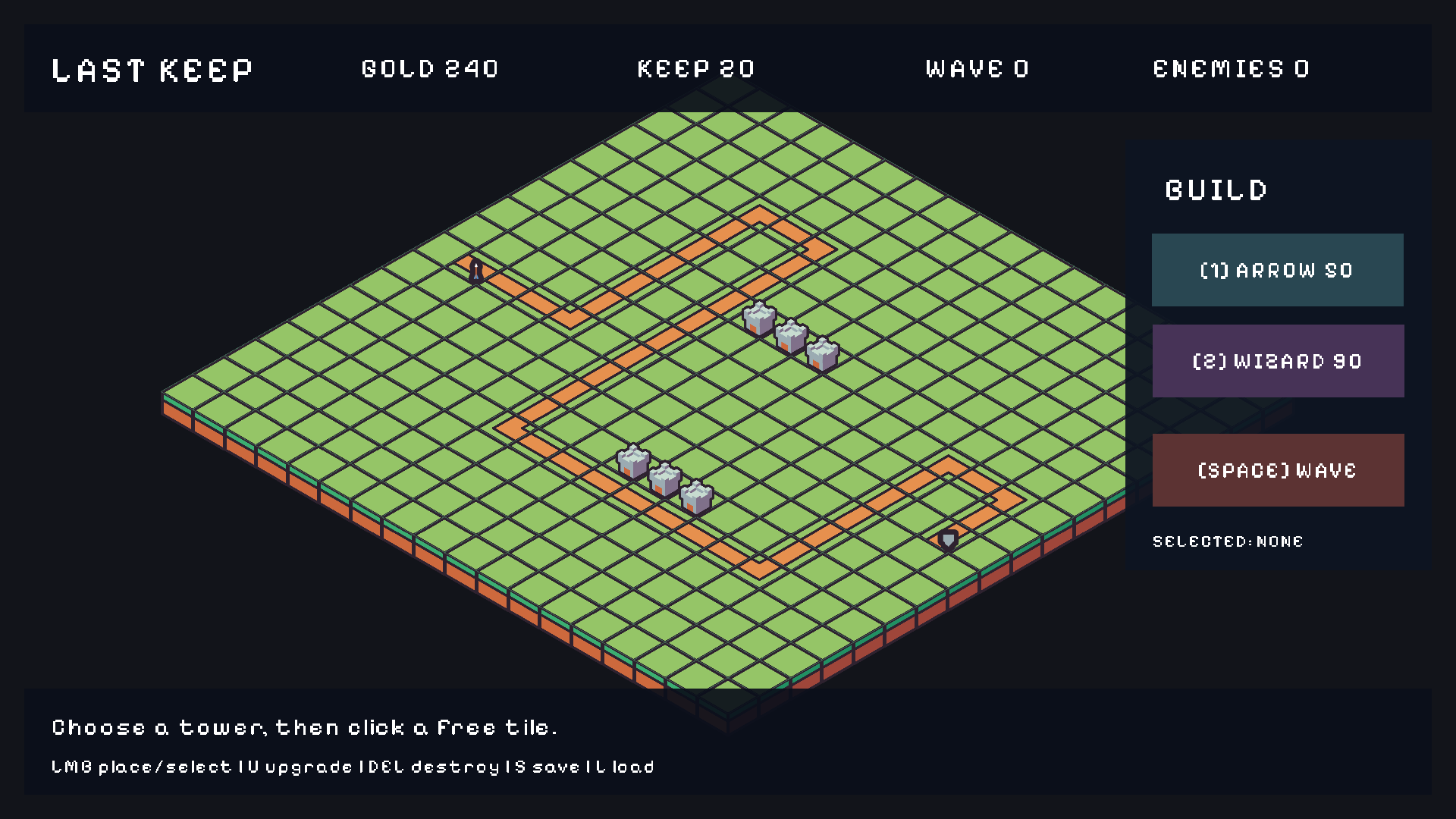
demi dev — HUD, gameplay, and the debug hint bar all come from the generated source files.4. Run the development loop
cd games/my_game
demi dev
demi dev finds the nearest demi.project.json, runs environment and project checks, and starts the runtime with watch mode enabled. Run it from inside the project folder. (Every command works that way; pass --project only when you invoke demi from outside.)
Edit Lua, scene, HUD, data, and asset files while the game keeps running. Changes are prepared at frame boundaries and replace the live world only when valid. Invalid edits print diagnostics and the last good world stays active. Build output, saves, .git, and generated files are not watched.
On an attached Android device the same flow is demi run android --watch.
5. Validate and smoke-test
Validate a project and every reachable source:
demi validate examples/minimal_3dOne-frame headless smoke test:
DEMI_HEADLESS=1 demi testDesktop E2E through the real runtime:
demi test linuxWhat is in a project?
my_game/
├── demi.project.json        # project, scenes, input, physics, build metadata
├── scenes/                  # *.scene.json
├── prefabs/                 # *.prefab.json
├── hud/                     # *.hud.json and UI prefabs
├── scripts/                 # Lua gameplay; scripts/tests/e2e.lua
├── assets/                  # *.asset.json + imported sources
├── data/                    # schema-backed game data
├── demi.packages.lock.json  # resolved package versions
└── .demi/                   # derived packages + IDE metadata
Read Project & file formats for the document shapes, or jump straight into Lua scripting.
Next steps
- Core concepts — the project/scene/entity/asset model.
- CLI reference — every command, including cook and package.
- Editor — the native scene/HUD workspace.
- Examples tour — 26 runnable sample projects.